Understanding Kafka Topics, Partitions, and Offsets
The Core Concepts Behind Kafka Scalability and Ordering
If there is one concept that determines whether someone truly understands:
Apache Kafka
it is this:
Topics, partitions, and offsets.
These three concepts form the foundation of Kafka’s:
- scalability
- parallelism
- durability
- ordering guarantees
- consumer independence
Without understanding them properly, Kafka can feel confusing.
Once understood, Kafka’s architecture becomes remarkably elegant.
In this article, we will deeply explore:
- Kafka topics
- partitions
- offsets
- how messages are stored
- how Kafka scales horizontally
- ordering guarantees
- partition-based parallelism
- consumer positioning
- why these concepts are central to Kafka
This article is one of the most important conceptual milestones in learning Kafka.
Why Kafka Needed a Different Architecture
Traditional messaging systems often struggle with:
- scalability
- ordering
- replayability
- consumer independence
- distributed throughput
Kafka solved these problems using:
- append-only logs
- partitioned storage
- distributed consumers
The result was a highly scalable streaming platform.
The Big Picture
At a high level:
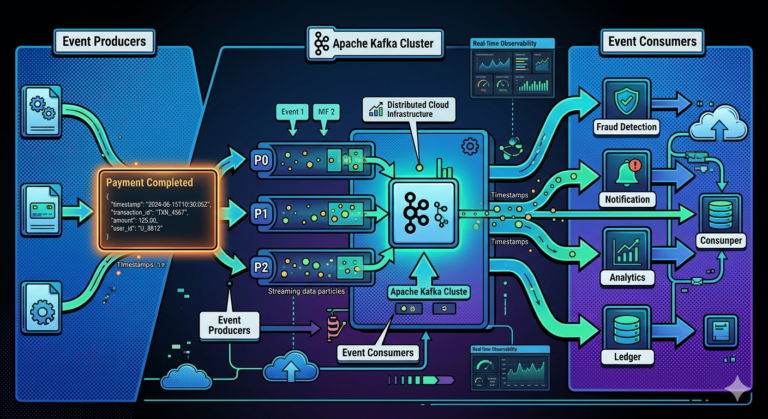
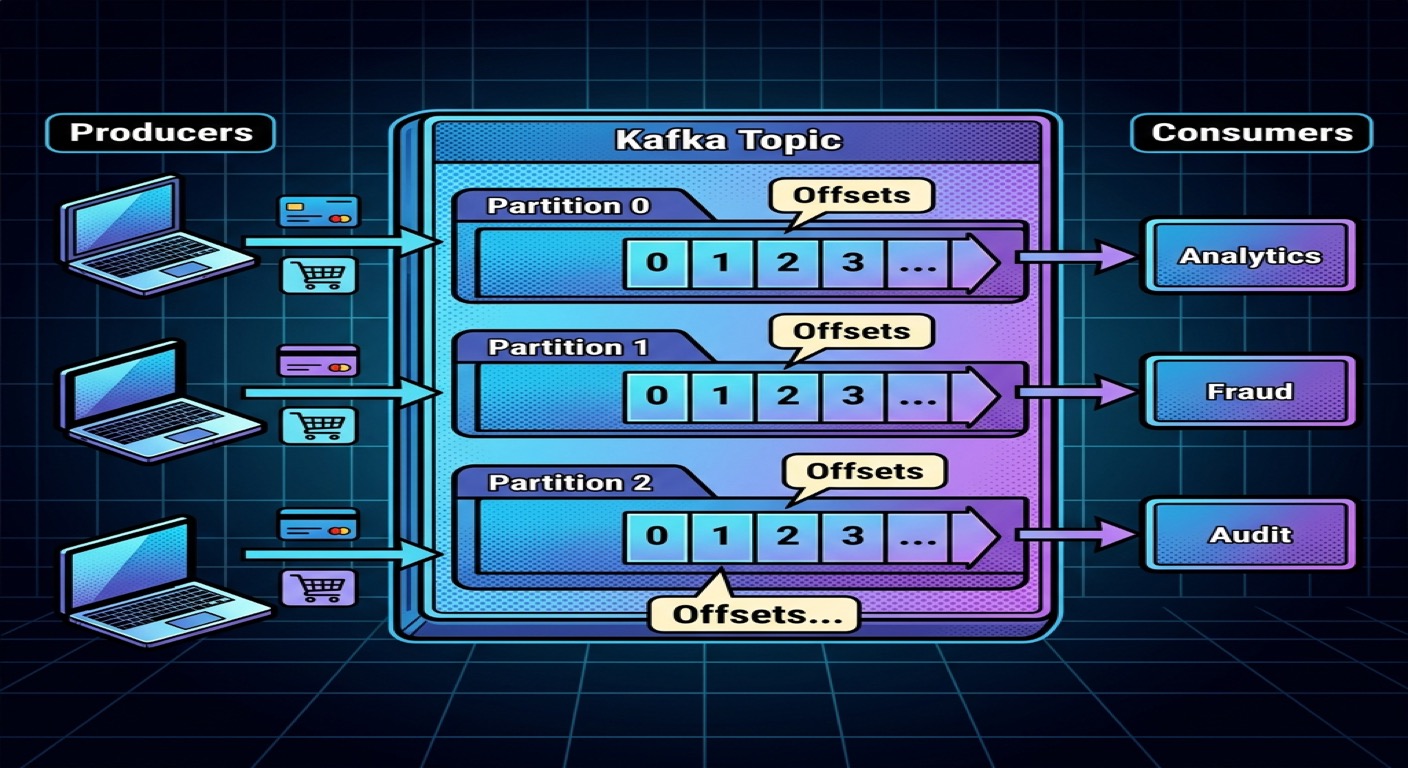
Producer → Topic → Partition → Consumer
Each layer exists for a reason.
What is a Kafka Topic?
A topic is a logical category or stream of events.
Think of a topic as:
A named channel where related events are stored.
Examples:
payments
orders
notifications
fraud-alerts
Every event published to Kafka belongs to a topic.
Real-World Example
Imagine an online payment platform.
Events may include:
PaymentInitiated
PaymentCompleted
PaymentRefunded
These events may all belong to:
payments topic
The topic acts as the event stream container.
Topics Are Not Physical Files
A common beginner misconception:
Topic = Single Queue
Not exactly.
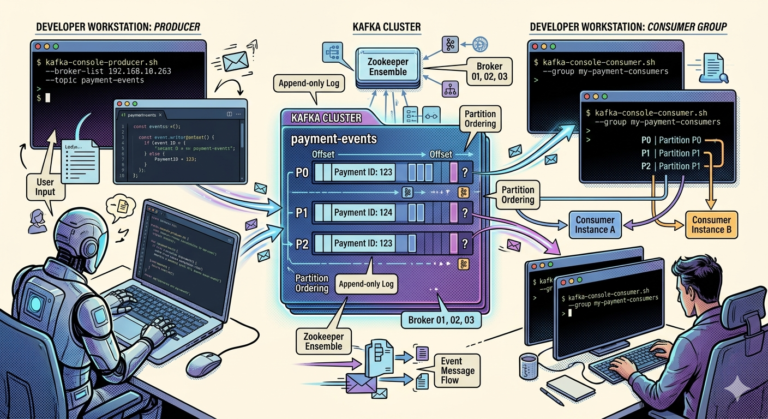
A topic is actually divided into:
Partitions.
And partitions are where the real magic happens.
What is a Partition?
A partition is a smaller ordered segment of a topic.
Example:
payments topic
 ├── Partition 0
 ├── Partition 1
 ├── Partition 2
Each partition stores its own ordered sequence of events.
Why Partitions Exist
Partitions solve Kafka’s biggest challenge:
Scalability.
Without partitions:
- one server handles all traffic
- one consumer handles all messages
- throughput becomes limited
Partitions allow:
- parallel processing
- distributed storage
- horizontal scaling
Visualizing a Partition
Each partition behaves like an append-only log.
Example:
Partition 0

Offset 0 → PaymentCompleted
Offset 1 → PaymentRefunded
Offset 2 → PaymentCompleted
New events are appended sequentially.
Ordering Within Partitions
Kafka guarantees:
Ordering within a partition.
Example:
Offset 0 → Event A
Offset 1 → Event B
Offset 2 → Event C
Consumers always read them in sequence.
This is extremely important.
Important Clarification
Kafka does NOT guarantee global ordering across all partitions.
Ordering is guaranteed only:
- within a single partition
This distinction is critical in distributed systems.
Why Kafka Uses Multiple Partitions
Imagine a payment system receiving:
- 1 million transactions per second
One partition would become overwhelmed.
Multiple partitions distribute workload.
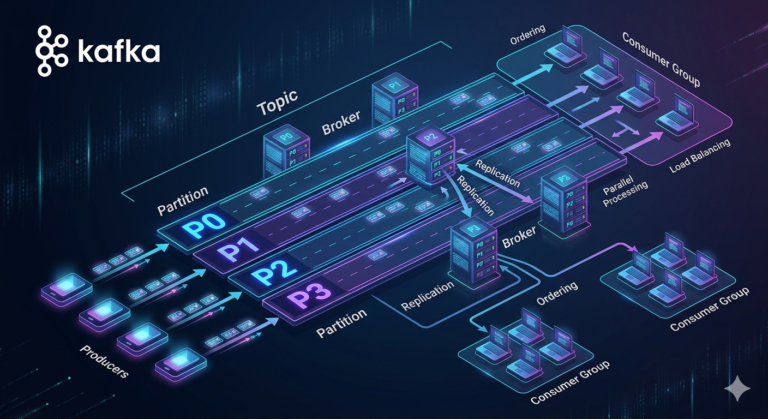
Example:
payments topic
 ├── Partition 0
 ├── Partition 1
 ├── Partition 2
 ├── Partition 3
Now multiple consumers can process events simultaneously.
Partitions Enable Horizontal Scalability
Partitions allow Kafka to:
- distribute data across brokers
- distribute processing across consumers
- scale throughput massively
This is one of Kafka’s greatest strengths.
What Determines Which Partition Receives an Event?
Kafka producers decide partition placement.
Usually using:
- keys
- hashing
- round-robin distribution
Key-Based Partitioning
Suppose events contain:
{
  "customerId": "CUST100"
}
Kafka may hash:
customerId
to determine partition assignment.
This ensures:
- events for the same customer go to the same partition
- ordering is preserved for that customer
Why This Matters
Imagine:
PaymentCompleted
PaymentRefunded
These events must remain ordered.
Using the same key ensures they stay in the same partition.
What Happens Without Keys?
Without keys:
- events may distribute randomly
- ordering relationships may break
This is acceptable for some workloads but dangerous for others.
Understanding Offsets
Now we reach one of Kafka’s most important concepts:
Offsets.
What is an Offset?
An offset is:
The unique position of an event inside a partition.
Example:
Partition 0

Offset 0 → PaymentCompleted
Offset 1 → PaymentRefunded
Offset 2 → FraudDetected
Offsets increase sequentially.
Offsets Are Partition-Specific
Important:
Offsets are unique only:
- within a partition
Example:
Partition 0 → Offset 0
Partition 1 → Offset 0
Both can exist simultaneously.
Why Offsets Matter
Offsets allow consumers to track:
- what has already been processed
- where to resume after restart
- replay positions
Offsets are central to Kafka reliability.
Consumers Read Using Offsets
A consumer may say:
I have processed up to Offset 1050
Kafka then continues from:
Offset 1051
This enables fault recovery.
Consumer Independence
One major Kafka innovation:
Each consumer tracks offsets independently.
Example:
Analytics Consumer → Offset 5000
Fraud Consumer → Offset 4800
Audit Consumer → Offset 3000
Consumers move at different speeds.
This creates enormous flexibility.
Replay Capability
Because Kafka stores events durably:
Consumers can replay history.
Example:
- analytics bug fixed
- restart from old offset
- reprocess historical data
Traditional queues often cannot do this easily.
Partition Parallelism
Suppose:
payments topic = 4 partitions
Kafka can distribute processing across multiple consumers:
Consumer A → Partition 0
Consumer B → Partition 1
Consumer C → Partition 2
Consumer D → Partition 3
Now processing happens in parallel.
This dramatically increases throughput.
Relationship Between Partitions and Consumers
A very important rule:
One partition can be consumed by only one consumer within a consumer group at a time.
This preserves ordering.
Example
Suppose:
Topic has 3 partitions
Consumer group has 3 consumers
Ideal mapping:
Consumer 1 → Partition 0
Consumer 2 → Partition 1
Consumer 3 → Partition 2
Balanced parallelism.
What If Consumers Exceed Partitions?
Example:
3 partitions
5 consumers
Result:
- 2 consumers remain idle
Because:
- partitions determine maximum parallelism
This is one of the most misunderstood Kafka concepts.
What If Partitions Exceed Consumers?
Example:
10 partitions
3 consumers
Consumers handle multiple partitions.
This is completely normal.
Partition Count is a Strategic Decision
Choosing partition count affects:
- scalability
- throughput
- ordering
- operational complexity
Too few partitions:
- limited scalability
Too many partitions:
- higher overhead
- rebalancing complexity
Partition design is a major Kafka engineering topic.
Kafka Topics Are Distributed Across Brokers
Kafka partitions distribute across brokers.
Example:
Broker 1 → Partition 0
Broker 2 → Partition 1
Broker 3 → Partition 2
This enables:
- distributed storage
- fault tolerance
- horizontal scaling
Replication and Durability
Kafka also replicates partitions.
Example:
Partition 0
 ├── Leader Replica
 └── Follower Replica
If one broker fails:
- replicas continue serving data
This provides resilience.
We will deeply explore replication later in the series.
Understanding Kafka Ordering Properly
Many beginners incorrectly assume:
Kafka guarantees total ordering
Not true.
Kafka guarantees:
- ordering only within a partition
Architects must design systems carefully around this rule.
Real-World Example — Payment Processing
Suppose:
- all events for a customer use customerId as key
Kafka ensures:
Customer CUST100 events:
PaymentCompleted
PaymentRefunded
FraudCheckTriggered
remain ordered inside the same partition.
This enables consistent processing.
Why Topics, Partitions, and Offsets Matter So Much
Together they enable:
- scalable distributed storage
- parallel processing
- replayability
- ordering guarantees
- fault recovery
- consumer independence
These are the core foundations of Kafka architecture.
Common Beginner Misconceptions
Misconception 1
More consumers automatically improve scaling
Not unless enough partitions exist.
Misconception 2
Kafka guarantees global ordering
Only within partitions.
Misconception 3
Offsets are global IDs
Offsets are partition-specific.
Misconception 4
Topics are queues
Topics are partitioned distributed logs.
Key Takeaways
Topics:
- organize related event streams
Partitions:
- enable scalability and parallelism
- preserve ordering within themselves
Offsets:
- identify event positions
- enable replayability and fault recovery
Together, these concepts make:
Apache Kafka
one of the most scalable event streaming systems ever built.